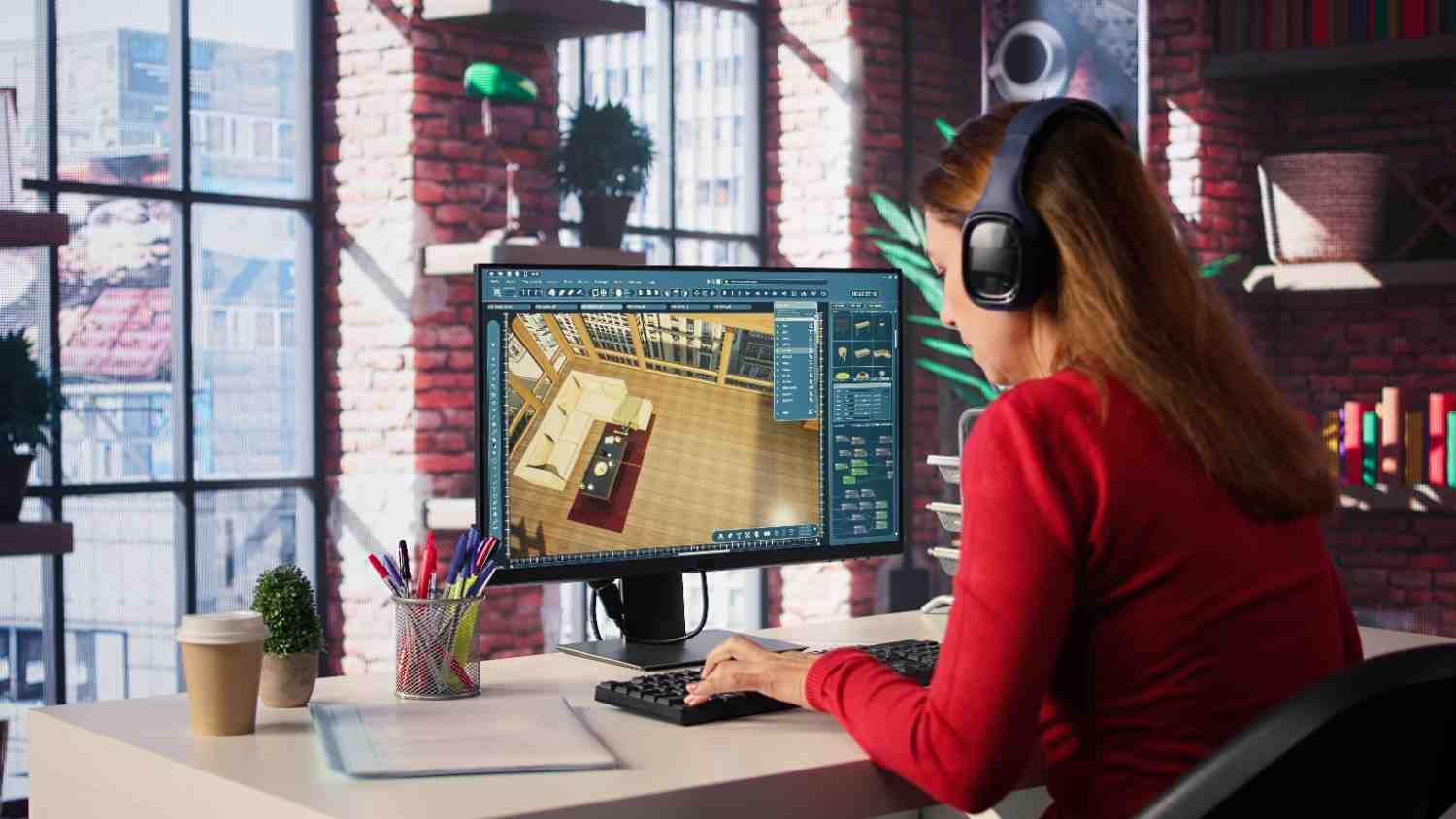

Future of Virtual Reality in Interior Designing
Virtual reality has quietly shifted from an exciting novelty into something much more practical for interior designers like you. The numbers tell a compelling story the global AR and VR market is heading toward $856.2 billion by 2031. But here’s what matters more for your daily work: these tools have become genuinely useful for showing clients what their spaces will actually look like.
Think about your current process for a moment. You probably spend considerable time helping clients visualize your concepts through sketches, mood boards, or static renderings. Virtual reality software for interior design, paired with increasingly affordable headsets, lets you skip that translation step entirely. Your clients can simply step inside their future space.
This shift affects more than just client presentations. You’ll find yourself working differently iterating faster, catching potential issues earlier, and collaborating with distant team members as if you’re all standing in the same room. We’ll walk through how VR technology has evolved to reach this point, what software innovations are coming your way, and how these changes will reshape your workflow. You’ll also discover educational opportunities at interior design schools in India and elsewhere, plus the practical challenges you’ll need to navigate as VR becomes standard practice in our field.
The goal here isn’t to convince you that VR will solve every design challenge it won’t. Instead, we’ll explore how to thoughtfully integrate these tools into work you’re already doing well.
How VR Technology Evolved in Interior Design
The shift from flat drawings to walking through spaces
Picture this: you’re trying to explain a design concept to a client using a 2D floor plan. They nod along, but you can see the uncertainty in their eyes. Will the kitchen island feel too big? Does the living room layout actually work for their family movie nights? Traditional methods sketches, physical models, site visits often left too much to the imagination. Clients had to trust your vision without truly experiencing it themselves.
VR changed that conversation entirely. Instead of asking clients to imagine their future space, you can now invite them inside it. These tools borrowed technology from the gaming world, creating environments that respond to movement and interaction in ways that static 3D models never could. Your client can walk around that kitchen island, sit on the proposed sofa, and get a genuine sense of how the space will feel in daily life.
The difference shows up immediately in client meetings. When someone can actually experience the room’s proportions, see how natural light hits different surfaces throughout the day, and understand traffic flow patterns, those abstract design decisions suddenly make perfect sense. You can adjust paint colors or swap out furniture pieces while they watch, turning design reviews into collaborative experiences rather than one-way presentations.
Headset options that work for design professionals
Today’s VR headset market offers something for every practice size and budget. The Meta Quest 3 has become popular among designers for good reason it delivers solid performance without requiring a computer tethered nearby. For more demanding client presentations, the Meta Quest Pro adds eye tracking, which makes interactions feel more natural and professional.
When you need maximum visual clarity, tethered headsets still lead the pack. The HTC VIVE Pro 2 provides sharp, detailed visuals that work well for reviewing complex architectural elements. The Varjo XR-4 takes this further with 4K resolution per eye, creating visuals so crisp that material textures appear almost tangible.
Apple’s Vision Pro represents something different entirely a 23-million-pixel display that creates remarkably realistic environments. The experience feels less like wearing goggles and more like looking through a window into another space. Wayfair has already developed tools specifically for this platform, letting clients see AI-generated room redesigns while shopping for specific furniture pieces.
For practices handling multiple projects simultaneously, enterprise options like the PICO Neo 3 Pro Eye offer practical advantages. Built-in eye tracking combines with flexible wireless or wired connectivity, making them suitable for lengthy design sessions. The HTC VIVE XR Elite bridges traditional VR with mixed reality capabilities, allowing you to blend virtual design elements with real spaces.
What’s coming next in VR design tools
The real excitement lies in how VR increasingly works alongside augmented reality and artificial intelligence. Soon, your clients will point at a virtual wall and change its color with a gesture, or ask to see real-time cost updates as they explore different material options. Headsets continue improving with sharper displays, better motion tracking, and controls that feel more intuitive than today’s options.
Software accessibility keeps expanding too. Lightweight headsets now pair seamlessly with design programs you might already use. DomuS3D creates panoramic VR experiences using the V-Ray rendering engine you may know from other projects. Tools like Enscape and V-RAY convert your existing 3D models into virtual walkthroughs, letting you show precisely how different materials and lighting conditions interact within your designs.
Software and Tools That Actually Work
AI assistants that speak your language
Here’s something that would have seemed impossible just a few years ago: you can now describe what you want in plain English, and software will create realistic design options for you. Chat-based assistants like InteriorGPT AI and ArchiGPT AI let you skip the technical commands entirely. Upload a photo or sketch, tell it what you’re thinking, and watch photorealistic options appear within seconds.
These AI-powered design assistants work because they understand both design principles and everyday language. You’ll find features like style suggestions, color palette recommendations, furniture placement optimization, and budget-friendly alternatives built right in. Some platforms even include sustainability scores, helping you make eco-friendly choices without extra research time.
Interior AI gives you virtual staging capabilities and 3D VR walkthroughs across more than 40 interior styles. Take any existing photo and instantly see it rendered in different design approaches—it’s like having a rapid moodboard generator at your fingertips. DecorAI takes this further with over 100 styles and a unique feature that converts rough sketches into photorealistic concepts.
What makes Paintit AI particularly useful is how it connects ideas to actual purchasing. The system doesn’t just show you concepts it suggests real furniture pieces that match your generated designs. RoomGPT has attracted over 2 million users with its credit-based approach, letting you pay only for the redesigns you need.
Rendering engines that deliver results
V-Ray remains the gold standard for photorealistic rendering, offering consistent quality across different platforms. DomuS3D pairs V-Ray with VR headset compatibility, generating panoramic renderings that clients can explore. Their Virtuo feature delivers high-end graphics with genuine emotional impact.
D5 and Coohom lead the field in AI integration, handling light balance, object suggestions, and layout ideas automatically. Coohom automates layout decisions while Substance 3D enhances texture realism. ArchDiffusion v4.2 produces presentation-ready renders trained on professional interior imagery.
Speed matters when clients are waiting. Spacely AI creates photorealistic renders in under 60 seconds, helping you meet deadlines without external rendering delays. The SketchUp integration lets you adjust lighting, materials, and layouts while preserving your existing work. Chaos tools generate multiple design variations in seconds, perfect for early creative exploration.
Working across devices
Your clients use different devices, and your tools should adapt accordingly. Modern platforms work seamlessly from phones to headsets, supporting your entire workflow from initial concepts to final purchasing decisions. Virtual reality and augmented reality now work together, enabling clients to change materials with gestures, view real-time costs, and see how lighting changes throughout the day.
Mobile apps that make sense
Rooomy connects virtual reality and augmented reality with the largest home decor catalog from retailers like Amazon and Wayfair. HomeStyler works like a virtual fitting room—place 3D furniture models directly onto photos of actual spaces. Meta Quest 3 eliminates measuring tape, letting you design rooms with accurate spatial understanding.
These mobile solutions matter because they meet clients where they already are, making your design process more accessible and immediate.
How VR Changes Your Daily Design Work
Faster design iterations that actually matter
Picture this common scenario: You’re presenting three different kitchen backsplash options to a client. Instead of showing them material samples and hoping they can imagine the final look, you switch between options instantly while they stand in their future kitchen. The decision that might have taken weeks of back-and-forth emails happens in minutes.
This speed isn’t just convenient it changes how you approach design entirely. You can test bold ideas without the usual risk because clients see exactly what they’re getting. One designer recently told me she now explores color combinations she would never have suggested with traditional presentations. When clients can experience the space immediately, both conservative and creative choices become easier conversations.
The time savings add up quickly. Projects that once required multiple revision cycles now move toward completion after just one or two virtual reviews. Your clients feel more confident in their decisions, and you spend less time managing uncertainty.
Clients who actually understand what you’re showing them
Remember the last time you tried explaining spatial flow to a client using floor plans? Most people struggle to visualize how a 2D drawing translates into a 3D experience they’ll live in every day. VR eliminates this translation problem entirely.
Research shows that 76% of clients who experienced a design in VR felt more invested in the project. This makes sense when someone can walk through their future home, sit on the proposed furniture, and see how natural light moves across the room throughout the day, they become collaborators rather than observers.
During VR presentations, you can adjust elements while clients watch. Change that accent wall color, swap the dining table, or shift the sofa placement. Clients immediately see how each choice affects the overall feel of the space. This real-time collaboration helps them articulate preferences they might not have been able to express otherwise.
Working with teams across different locations
The pandemic taught many of us that remote collaboration could work, but VR takes this much further. When you’re reviewing a hotel lobby design with architects in Mumbai, engineers in Berlin, and the client in New York, everyone can stand in the same virtual space and point to specific elements.
These virtual meetings feel remarkably different from video calls. You can walk around the space together, examine details up close, and discuss changes while everyone sees exactly what you’re referencing. The shared context eliminates the usual confusion that comes with describing spatial elements over traditional communication channels.
Teams report making decisions faster when they can explore designs together in VR. The visual clarity removes ambiguity that often slows down distributed project teams.
Catching problems before they become expensive
Here’s where VR pays for itself quickly: finding issues before construction begins. When a client walks through their bathroom design and realizes the vanity blocks the natural light they wanted, fixing this costs nothing more than your time to adjust the model.
Compare this to discovering the same problem after installation. VR helps you spot these spatial relationship issues, lighting problems, and circulation challenges while they’re still easy to address. You’ll find yourself catching details that don’t show up in traditional renderings like how that beautiful pendant light creates an awkward shadow or how the kitchen island feels too close to the refrigerator.
This early problem-solving protects both your reputation and your client’s budget. When fewer surprises emerge during construction, projects stay on schedule and clients stay happy.
Shopping decisions that stick
Many VR interior design apps now connect directly to furniture retailers. Your clients can see how that specific West Elm sofa looks in their living room before ordering it. This eliminates much of the guesswork that leads to returns and buyer’s remorse.
The virtual try-before-you-buy experience helps clients make better purchasing decisions. Instead of ordering a coffee table based on dimensions alone, they can see how it fits with their existing décor and daily movement patterns. Many furniture brands now offer these VR preview tools because they reduce returns and increase customer satisfaction.
This integration between design visualization and purchasing creates a smoother path from concept to completion. Clients feel more confident in their choices, and you spend less time managing post-purchase disappointments.
Learning VR Skills for Your Design Career
How schools are preparing the next generation
Design schools have started weaving virtual reality and augmented reality technologies into their core programs, recognizing that students need hands-on experience with tools they’ll actually use in practice. Students can now step inside their own design concepts, walking through spaces they’ve created and seeing them from every angle. This approach helps them spot potential issues early, communicate ideas more effectively, and develop stronger critical thinking skills around spatial design.
Take MIT ID’s immersive media design program as an example. Students learn to transform data into meaningful communication using virtual reality, augmented reality, and mixed reality. The program focuses on the human side of immersive design, exploring how these technologies can create compelling user experiences across education, health, spatial installations, and business applications.
Specific courses you can pursue
Several top architecture schools have built VR directly into their curriculum. The University of Minnesota’s ARCH 3250 course, Design And Perception In Virtual Reality, gives students hands-on experience with head-mounted displays and immersive wide-screen VR to understand how these tools affect their design process. The University of Michigan offers ARCH 409, which teaches students the practical skills needed to use VR for both design development and client presentations.
Berkeley runs experimental courses that apply VR methods across different design fields, while Cornell organizes design studios where architectural students collaborate with computer graphics majors. Carnegie Mellon teaches students to design experience-driven multi-modal environments using both traditional and digital tools for professional-quality output.
Bridging the skills gap in practice
The shift from traditional 2D drawings and static renderings to interactive, real-time tools requires new skills that many practicing designers haven’t had the chance to develop. Professional workshops have emerged to bridge this gap, helping both established designers and recent graduates adopt immersive technologies effectively. These training programs focus on practical integration with existing CAD and BIM workflows, showing you how to speed up project approvals and reduce the need for revisions.
The key is finding training that connects directly to your current work process rather than starting from scratch.
Working Through Future Challenges
Making technology more accessible
The reality is that high-quality VR hardware and software can stretch your budget. Many designers don’t have access to the latest VR technology or reliable high-speed internet, which affects how clients experience these tools. This creates a real barrier when you want to offer cutting-edge design services. Specialized VR equipment can feel both difficult and expensive to acquire.
Here’s the encouraging news: implementing virtual reality interior design doesn’t require breaking the bank. You can start simple regular smartphones work with VR accessories to create basic headsets. Today’s market offers lightweight, affordable headsets paired with interior design software that includes direct VR export features. Think of it as starting with what you have rather than waiting for the perfect setup.
Smart strategies for managing costs
Yes, creating your first VR model requires some upfront investment, but you’ll quickly see time savings during revisions and client presentations. Decisions happen faster and with more confidence, which means fewer lengthy approval cycles. You don’t always need headsets desktop interfaces work like Google Street View, letting people navigate virtual spaces on regular computers. VR tools can actually reduce labor costs by helping site managers preview calculations without physical equipment placement.
Protecting client privacy and data
VR devices gather more personal information than you might expect—biometric data, movement patterns, even emotional responses. Here’s something worth knowing: your movement patterns are as unique as your fingerprint. When companies collect and analyze this movement data, they could potentially identify you without permission. This behavioral information might be used by employers, insurance companies, or law enforcement to make judgments about people. The biometric data from VR creates uniquely identifiable signatures.
What does this mean for your practice? Handle client data carefully to maintain trust and follow regulations. The General Data Protection Regulation already applies to virtual worlds providers. Be transparent with clients about what data you’re collecting and how you’re protecting it.
Building industry standards
Right now, we’re dealing with a patchwork of different state and national policies that leave gaps in some areas while creating too many rules in others. Policymakers need to create a supportive environment for innovation by clarifying and harmonizing existing rules. Federal privacy legislation would help by creating consistent compliance requirements nationwide instead of varying state-by-state regulations.
Keeping the human touch alive
You’ll want to balance using technology with maintaining the personal relationships that make great design possible. Too much reliance on technology could reduce the human element that’s central to creating spaces that feel emotionally right, not just functional. Your team members might resist new technology because it feels unfamiliar or challenging to learn. With patience and good training, your staff can learn to use these new tools effectively.
Remember technology should enhance your creativity and client relationships, not replace them. The goal is to use VR as a powerful tool while keeping your personal design vision and human connection at the center of your work.
Moving Forward With VR
Virtual reality has found its place in your toolkit. What started as an interesting novelty has become a practical way to show clients their spaces before construction begins. The technology keeps getting more affordable, and the software keeps getting easier to use.
You’ve seen the challenges learning curves, privacy considerations, and the initial investment. But here’s what matters: the time you save on revisions, the clarity you gain in client communication, and the confidence clients feel when they can actually walk through their interior design projects before signing off.
Your next step doesn’t have to be dramatic. Start small. Try one VR presentation with a client who’s struggling to visualize your concept. Use your phone with a simple VR adapter, or explore one of the more accessible desktop tools that let clients navigate spaces without a headset.
The key is remembering why you became a designer in the first place to create spaces that genuinely work for people. VR simply gives you a clearer way to show clients what you’re already envisioning. Your creativity, your understanding of how people live and work, your ability to solve spatial problems these remain at the heart of great design.
Technology should amplify your skills, not replace them. The designers who thrive will be those who use these tools thoughtfully, keeping the human connection front and center while making their vision easier for clients to understand and embrace.
FAQs
Q1. How is virtual reality being used in interior design?
Virtual reality enables designers to create immersive, interactive environments that clients can explore in real-time. Instead of viewing static 2D sketches or renderings, clients can virtually walk through spaces, examine materials and colors from different angles, and experience room dimensions as if physically present. Designers can make instant modifications to colors, materials, or furniture arrangements while clients view updates immediately, leading to better understanding and faster decision-making.
Q2. What are the current virtual reality headset options available for interior design?
The market offers diverse options across different price points and performance levels. Wireless headsets like Meta Quest 3 and Meta Quest Pro provide balanced performance for design reviews and client presentations. Tethered headsets such as HTC VIVE Pro 2 and Varjo XR-4 deliver superior visual quality with 4K resolution for detailed visualizations. Apple Vision Pro features a 23-million-pixel display for ultrarealistic presentations, while enterprise options like PICO Neo 3 Pro Eye include eye tracking and flexible connectivity modes.
Q3. Will artificial intelligence replace interior designers?
AI cannot replace the human touch, intuition, and personal connection that designers bring to projects. While AI-powered tools can generate design options, suggest furniture arrangements, and create photorealistic renders quickly, they lack the ability to understand emotional needs and manufacture designs professionally with real resources. The future belongs to designers who blend AI technology with their creative vision and client relationship skills.
Q4. How does virtual reality reduce design errors and project costs?
VR allows designers and clients to preview final results before construction begins, identifying issues with layout, lighting, or material selection early in the process. This eliminates the need for physical prototypes and reduces costly revisions during construction. By enabling faster decision-making and better alignment between designers and clients, VR helps manage budgets more effectively and makes high-quality design more accessible.
Q5. What training opportunities exist for learning VR in interior design?
Many educational institutions now incorporate VR and AR technologies into their curriculum, with specialized programs at institutions like MIT ID offering immersive media design courses. Universities such as the University of Minnesota, University of Michigan, Berkeley, and Cornell offer specific VR design courses. Additionally, professional workshops provide hands-on training with tools that integrate with CAD and BIM software, bridging the gap between traditional design education and modern industry practice.